Intake & onboarding
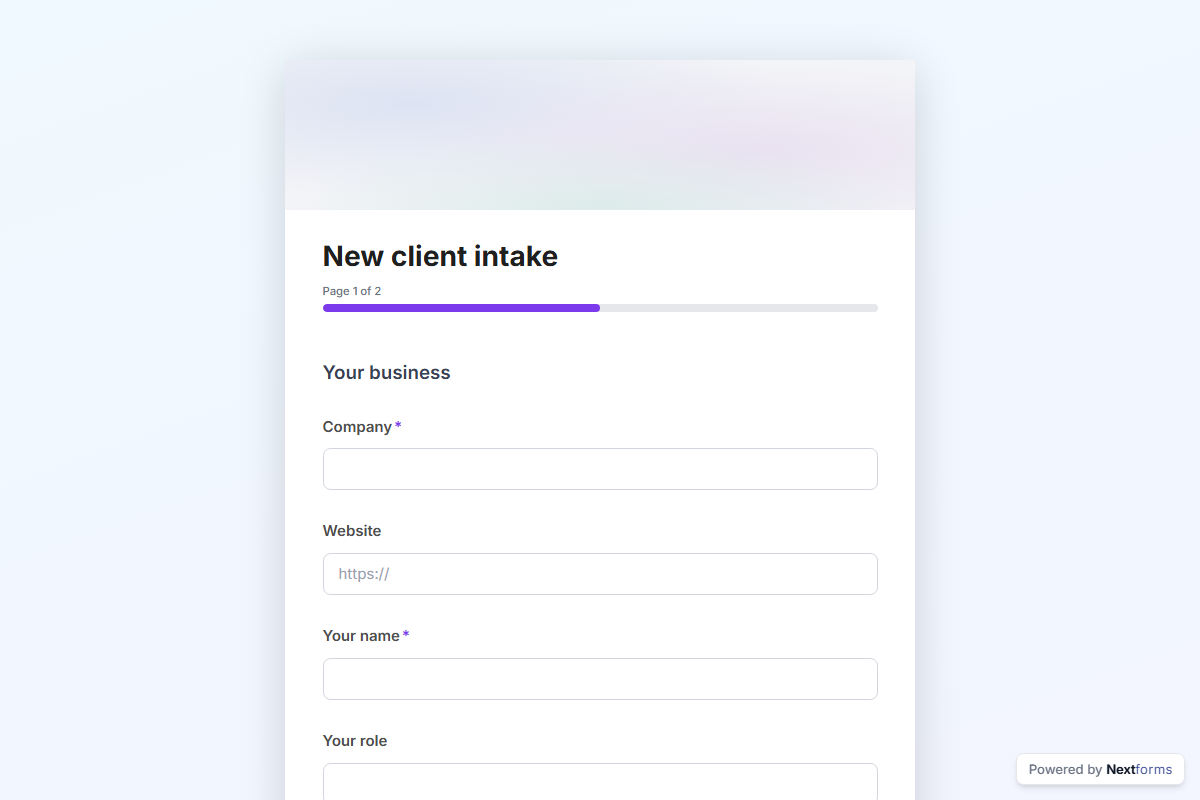
New client intake
A new-client intake form for agencies, consultants and freelancers: the business, what they need, goals, budget, timeline and how they like to work.
What is in the form
Page 1: Your business. Company, Website, Your name, Your role, Email, Phone, Industry (dropdown), Company size (dropdown) and Describe what you do in a few sentences (long answer).
Page 2: The work. What do you need help with (pick any), What does success look like in six months (long answer), What have you tried so far, and what happened (long answer), Budget (dropdown), When do you want to start (dropdown), Who else is involved in the decision, Preferred way to work together (one of 4) and How did you hear about us (dropdown).
It opens with a welcome screen (“Let’s get started”) and ends with a thank-you message you can edit.
After someone submits
This template comes without a workflow. Responses land in your dashboard, and you can add a step in the workflow editor: an approval by email, a post to Slack or Teams, a row in Notion or Airtable, or a webhook.
Make it yours
The options under “What do you need help with?”. are placeholders: put your own in. Add, remove or reorder questions in the builder; every change is tracked and nothing goes live until you publish. Pick a design preset or your own colours, add your logo, and share the link or embed the form on your site.