Orders & bookings
Appointment request
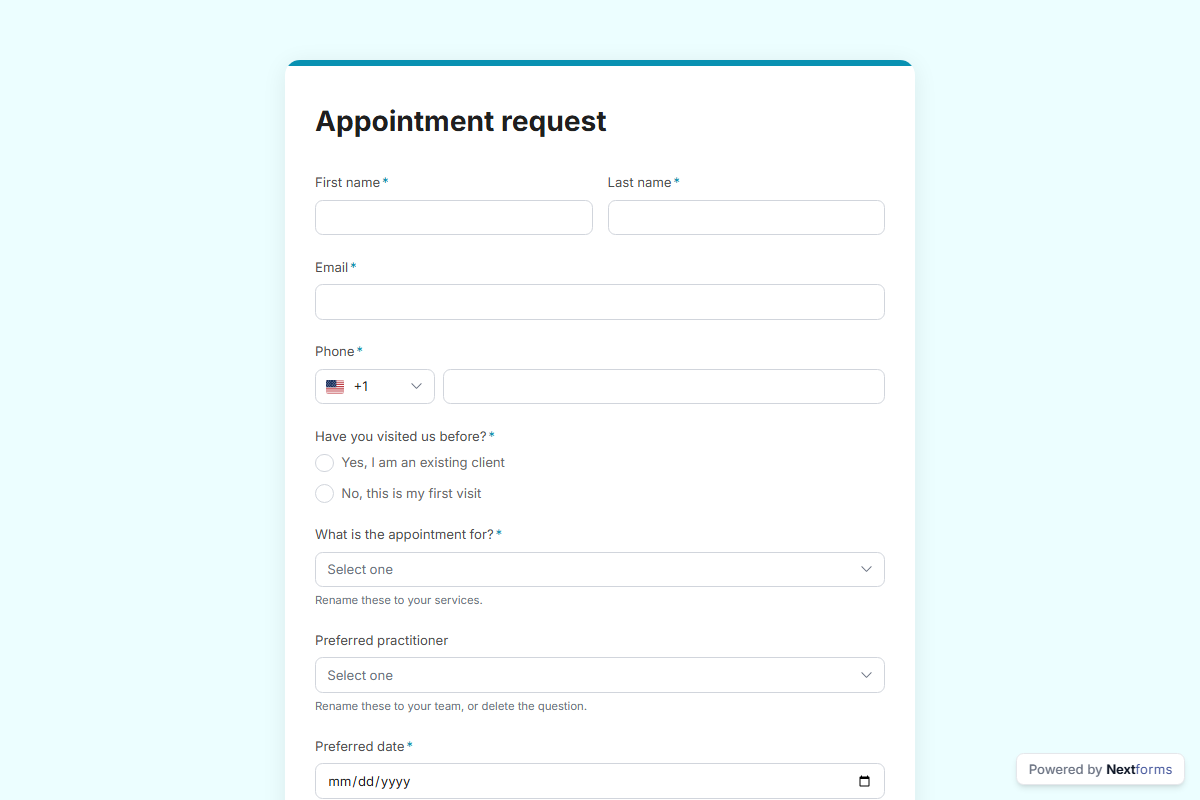
Let clients request an appointment: the service, two preferred dates and a time of day, new or returning, and an approval step so the front desk confirms or offers another slot.
What is in the form
First name, Last name, Email, Phone, Have you visited us before (one of 2), What is the appointment for (dropdown), Preferred practitioner (dropdown), Preferred date (date), Second choice (date), Times that work for you (pick any) and Anything we should know before your visit (long answer).
It ends with a thank-you message you can edit.
After someone submits
An approval by email (Pro). Each submission is emailed to an approver you name, with the answers and two buttons: “Confirm” and “Offer another time”. The decision is recorded on the response, and the rest of the workflow can branch on it.
The workflow copies with the form, switched off until you have filled in the blanks. The form itself publishes on the free plan; switching an approval on is a Pro feature, and a Slack post needs your workspace connected once.
Make it yours
The options under “What is the appointment for?” and “Preferred practitioner”. are placeholders: put your own in. Add, remove or reorder questions in the builder; every change is tracked and nothing goes live until you publish. Pick a design preset or your own colours, add your logo, and share the link or embed the form on your site.