Requests & internal
IT support request
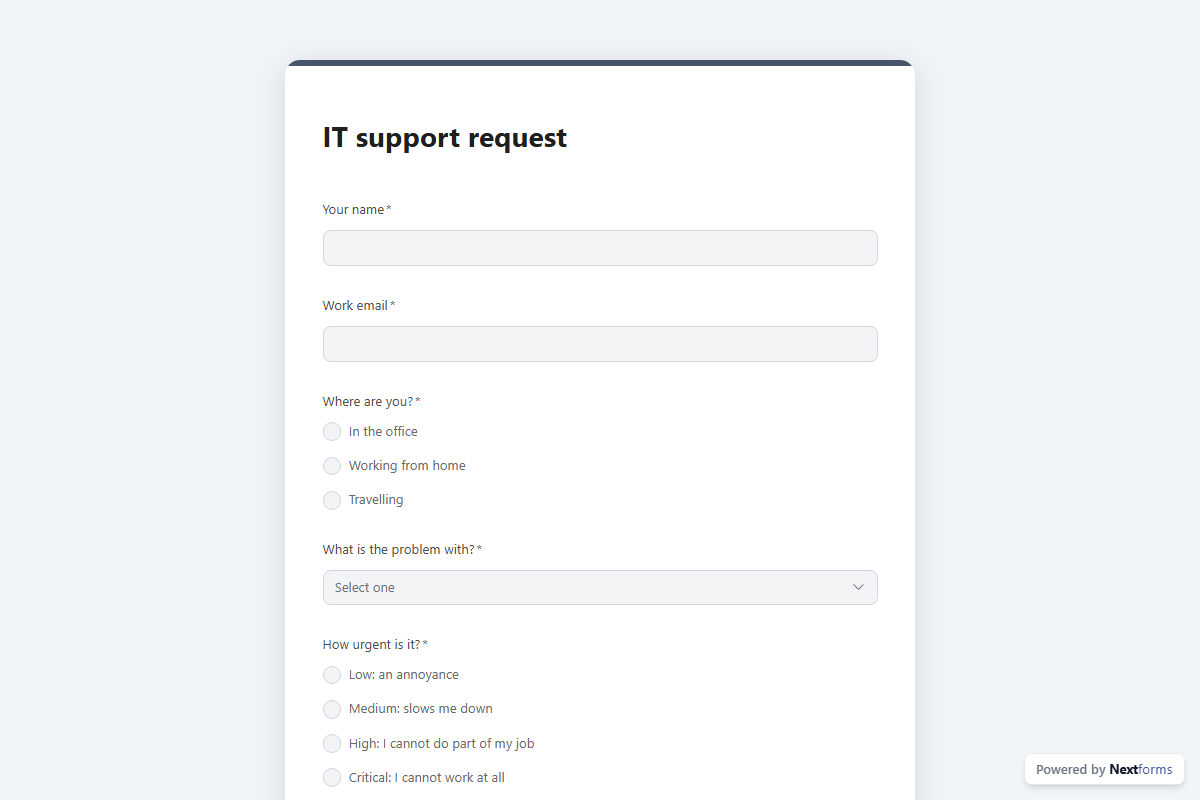
An internal helpdesk form: the problem, its category and urgency, the device, a screenshot, and a Slack post to the IT channel the moment it comes in.
What is in the form
Your name, Work email, Where are you (one of 3), What is the problem with (dropdown), How urgent is it (one of 4), In one line, What happened, and what have you tried (long answer), Device, Screenshot or photo of the error (file upload) and Best way to reach you (one of 4).
It ends with a thank-you message you can edit.
After someone submits
A Slack post. Every submission is posted to #it-helpdesk in your workspace, with the answers that matter pulled into the message, so the team sees “IT support request” responses where they already are.
The workflow copies with the form, switched off until you have filled in the blanks. The form itself publishes on the free plan; switching an approval on is a Pro feature, and a Slack post needs your workspace connected once.
Make it yours
Add, remove or reorder questions in the builder; every change is tracked and nothing goes live until you publish. Pick a design preset or your own colours, add your logo, and share the link or embed the form on your site.